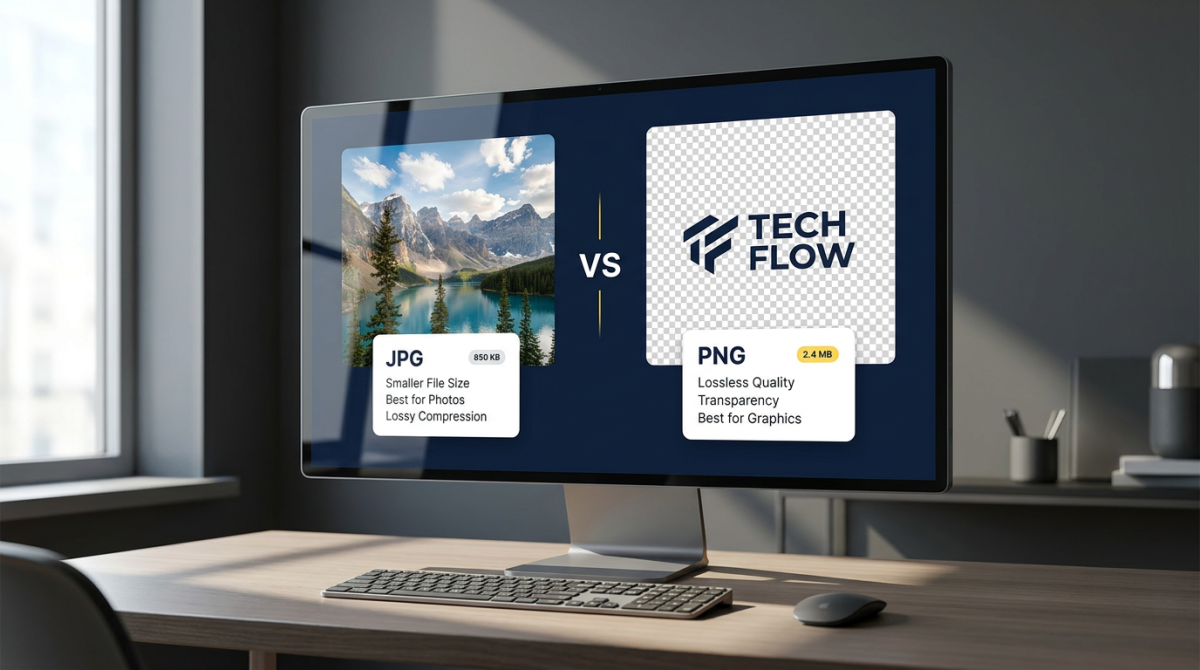
Understanding the difference between PNG and JPG helps you ship faster pages, sharper logos, and cleaner photo galleries. Both formats are raster images, but they compress data differently, handle transparency differently, and suit different jobs on the web and in design workflows.
This guide focuses on a practical PNG JPG comparison: quality, compression, file size, transparency, and when to use PNG or JPG (also written PNG vs JPEG or JPG vs PNG). If you want foundational definitions of each format first, start with What Is PNG and JPG? A Complete Guide to PNG vs JPG, then return here for decision-focused detail.
Prefer a decision-focused format picker? See PNG vs JPG: Which Image Format Should You Use? — it answers which format to pick for websites, SEO, and social without repeating this technical deep dive. All FlashFile image tools process files in your browser.
Quick Summary: Difference Between PNG and JPG
- JPG / JPEG — lossy JPG image format; smaller photos; no transparency.
- PNG — lossless PNG image format; sharp graphics and text; full transparency.
- Decision shortcut — photos and continuous-tone images → JPG (or WebP); logos, UI, screenshots, cut-outs → PNG (or WebP with alpha).
Feature Comparison Table
Use this table whenever you need a fast answer to the difference between PNG and JPEG for a specific asset.
| Feature | JPG / JPEG | PNG |
|---|---|---|
| Compression type | Lossy — discards some detail | Lossless — keeps every pixel |
| Typical photo size | Much smaller | Often several times larger |
| Transparency | Not supported | Full alpha channel |
| Best content | Photographs, gradients, lifestyle shots | Logos, UI, screenshots, text graphics |
| Edges and text | Can blur, ring, or block | Stays crisp |
| Color | 24-bit RGB | 24-bit RGB + optional alpha |
| Re-saving | Quality drops with each lossy export | Safe to re-save |
| Web delivery role | Default for photos | Default for graphics with alpha |
| Animation | No (use GIF/WebP/video) | APNG possible, uncommon |
| Master / archive use | Delivery only, not ideal master | Good raster master for graphics |
Compression: The Core Difference
Compression is the heart of the difference between PNG and JPG. JPG is built to throw away information the eye is less likely to notice so photographs stay light. PNG is built to pack pixels efficiently without changing them, which protects logos and UI but keeps noisy photos heavy.
With JPG, a quality slider controls how aggressive that discard is. Moderate settings look natural on phones and laptops; extreme settings create 8×8 blocks, muddy color, and halos around high-contrast edges. With PNG, there is no “quality” trade-off in the same sense — you either keep the pixels or you change the image another way (resize, palette reduction, or a different format).
That is why a PNG or JPG choice should follow content type. Matching the compressor to the image beats using one format for everything.
Image Quality: What You Actually See
Technically, PNG wins on fidelity because it is lossless. Practically, a well-tuned JPG often looks “good enough” for photos at a fraction of the size. Viewers rarely notice mild photo compression, but they immediately notice soft logo edges or muddy interface text.
Judge quality at the size users will see — not only at 100% zoom on a design monitor. A 4000px PNG hero that looks perfect in Photoshop can still be the wrong choice if a 1600px JPG looks identical in the browser and loads three times faster.
File Size and Performance
File size is where JPG usually dominates for photographs. Lossy compression collapses smooth gradients and fine noise efficiently. PNG compression is lossless, so photographic detail and sensor noise stay expensive in bytes.
For simple graphics with few colors, PNG can be surprisingly compact — sometimes smaller than a JPG of the same canvas — because flat regions pack well. After you pick a format, still resize to the display width you need; oversized dimensions waste more bandwidth than the extension alone.
Transparency: Where PNG Wins
Transparency is the feature that most often forces a PNG vs JPG decision. PNG stores per-pixel opacity so a logo or sticker sits cleanly on any background. JPG cannot. Flatten a transparent PNG to JPG and transparent pixels become a solid color (often white or black). Soft shadows, rounded badges, and cut-out product shots belong on PNG — or on WebP with alpha — not on JPG.
When to Use JPG
- Camera and phone photographs
- Blog heroes and marketing lifestyle images
- Product photos without cut-out backgrounds
- Large galleries where bandwidth and LCP matter
- Email newsletters and social feed photos
- Any continuous-tone image that does not need transparency
When to Use PNG
- Logos, icons, and brand marks
- UI chrome, buttons, and app graphics
- Screenshots with text and thin lines
- Diagrams, charts, and infographics
- Assets that need transparent backgrounds
- Raster masters you will edit and re-export often
Websites, SEO, and Social Media
Search engines do not rank “PNG” higher than “JPG.” They reward fast, accessible pages. Oversized photographic PNGs hurt Largest Contentful Paint; tiny over-compressed JPGs can look unprofessional and raise bounce rates.
For websites: photos → JPG or WebP; logos and UI → PNG or SVG; transparent overlays → PNG or WebP with alpha. For social platforms, expect re-encoding on upload — keep a high-quality master and export a platform-sized copy rather than uploading multi-megabyte originals repeatedly.
SEO checklist after you choose a format: compress thoughtfully, use descriptive filenames, write meaningful alt text, and prefer modern delivery formats when your stack allows them.
How to Reduce PNG and JPG File Size
Smaller images load faster and support better Core Web Vitals. Follow this order:
- Resize dimensions first. A 4000px-wide photo on a 1200px content column wastes bandwidth. Use FlashFile Image Resizer to set exact width and height before compression.
- Compress with a quality target. Open the Image Compressor to shrink JPG, PNG, or WebP while previewing the result. For strict limits, try Compress to 100KB or 200KB tools.
- Pick the right format. Photos → JPG/WebP. Graphics with transparency → PNG/WebP. Do not force photographic PNGs when a JPG looks identical.
- Strip unnecessary metadata when privacy or a few extra kilobytes matter (EXIF/GPS).
All FlashFile tools run in your browser — your files are not uploaded to a server for processing.
Can You Convert PNG to JPG?
Yes — and it is one of the most common ways to shrink graphics that do not need transparency. Use FlashFile Image Converter to flatten PNG to JPG in the browser. Transparent areas become a solid background color, so preview carefully. After conversion, run the compressor if you still need a smaller file.
Can You Convert JPG to PNG?
Yes. Converting JPG to PNG is straightforward with an Image Converter. Remember: conversion cannot restore detail that JPG compression already discarded. The PNG will often be larger than the original JPG. Convert to PNG when you need a lossless working copy for further edits, or when a workflow expects PNG — not because you expect “better quality” from the same pixels.
PNG vs JPG vs WebP
WebP often beats both PNG and JPG on file size at similar visual quality, and it supports transparency. Modern browsers handle WebP well. Practical approach in 2026: serve WebP (or AVIF where available) for delivery when your stack allows it, keep PNG masters for transparent graphics, and keep high-quality JPG masters for photography archives.
| Feature | JPG | PNG | WebP |
|---|---|---|---|
| Compression | Lossy | Lossless | Lossy or lossless |
| Transparency | No | Yes | Yes |
| Photo size | Small | Large | Often smallest |
| Logo / UI | Poor | Excellent | Excellent |
| Browser support | Universal | Universal | Modern browsers |
| Best role | Photos | Graphics + alpha | Efficient web delivery |
Common Mistakes
- Publishing full-resolution camera photos as PNG on a blog
- Using JPG for logos and wondering why edges look dirty
- Uploading multi-megabyte screenshots without resizing
- Re-exporting the same JPG dozens of times during edits
- Expecting JPG→PNG conversion to restore lost detail
- Ignoring WebP when your audience is on modern browsers
Frequently Asked Questions
What is the difference between PNG and JPG?
JPG uses lossy compression to keep photo files small and has no transparency. PNG uses lossless compression, keeps every pixel intact, and supports transparent backgrounds. That is the core difference between PNG and JPG (also called JPEG).
Is PNG or JPG better for photos?
JPG is usually better for photographs because lossy compression shrinks continuous-tone images efficiently with little visible loss. PNG photos are larger without a clear quality benefit for most web and social uses.
Is PNG or JPG better for logos?
PNG is better for logos, icons, and UI graphics. It keeps sharp edges and text and can include transparency. JPG often softens edges and cannot leave a see-through background.
Does JPG support transparency?
No. Standard JPG has no alpha channel. Transparent areas become a solid color when you convert PNG to JPG. Use PNG or WebP when you need transparency.
Which is smaller: PNG or JPG?
For photographs, JPG is almost always smaller. For simple graphics with flat colors, PNG can be competitive or even smaller. Always compare after resizing to the display size you need.
Can I convert between PNG and JPG without uploading files?
Yes. FlashFile Image Converter runs entirely in your browser, so files stay on your device while you switch formats.
When should I use PNG vs JPEG on a website?
Use JPG (or WebP) for photos and large lifestyle images. Use PNG for logos, icons, screenshots, badges, and any asset that needs a transparent background or crisp text.
Does converting JPG to PNG improve quality?
No. Converting JPG to PNG cannot restore detail already discarded by lossy compression. It only stops further lossy damage and may increase file size.
Conclusion
The difference between PNG and JPG is not a rivalry with one winner — it is a toolkit. JPG carries photography efficiently. PNG protects sharpness and transparency for graphics. Match the format to the job, compress thoughtfully, and keep masters safe.
For format basics and definitions, read What Is PNG and JPG?. For a practical which-to-use guide, open PNG vs JPG: Which Image Format Should You Use?. Ready to put this into practice? Convert formats with Image Converter, shrink files with Image Compressor, and set exact dimensions with Image Resizer. Everything runs client-side on FlashFile.
Related FlashFile Tools
Free client-side tools mentioned in this guide — no uploads required for conversion.
Convert and optimize PNG & JPG free
Switch formats, compress for the web, and resize images privately in your browser.
Related Articles
Keep reading — more PDF and image conversion guides from the FlashFile blog.
 Image Tools
What Is PNG and JPG? A Complete Guide to PNG vs JPG
What is PNG and JPG? Learn compression, transparency, quality, file size, and when to use each image format — plus WebP.
Read More Image Tools
PNG vs JPG: Which Image Format Should You Use?
PNG vs JPG explained — quality, compression, transparency, file size, and when to choose each format or WebP.
Read More Image Tools
Complete Guide to Image Compression in 2026: How to Compress Images Without Losing Quality
Learn how image compression works, how to compress JPG and PNG images, reduce image file size without noticeable quality loss, and optimize images for websites and everyday use.
Read More