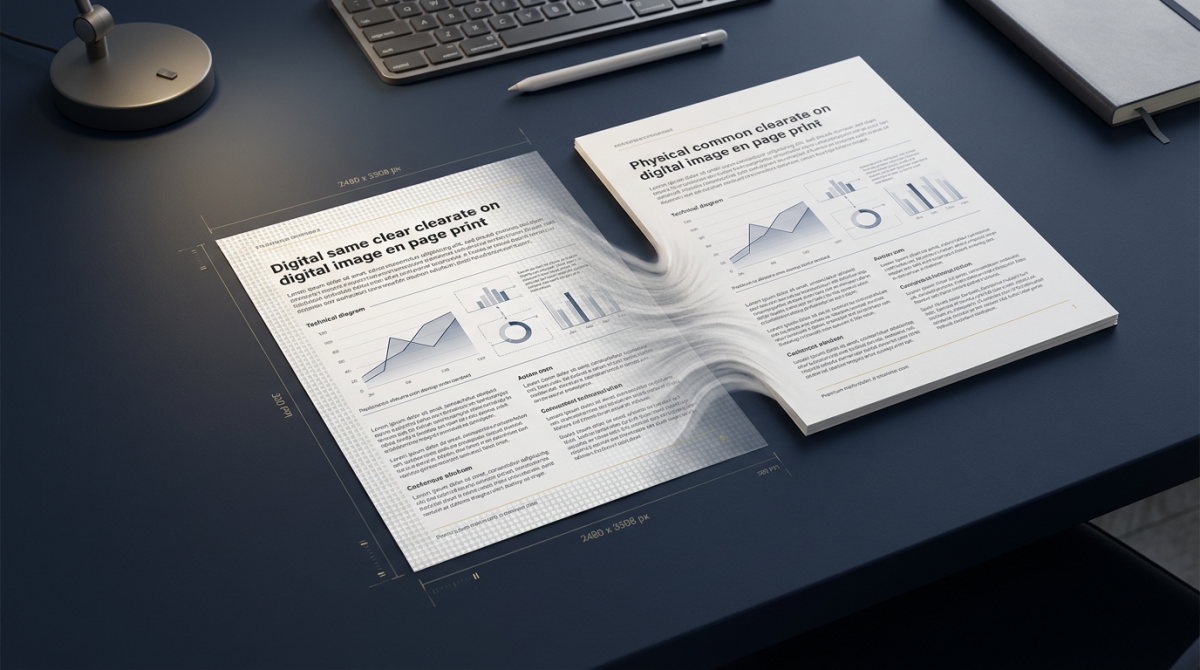
Learning how to convert PDF to PNG is essential whenever you need razor-sharp page images — product specs, UI mockups, charts, diagrams, or documentation screenshots. PDF keeps layout locked for reading and print, but websites, design tools, and slide decks often need raster images. A reliable PDF to PNG converter turns each page into a lossless PNG you can embed, annotate, or share without installing desktop software.
This complete guide covers what PDF to PNG conversion is, why teams choose PNG over JPG, how to convert online in five steps, what affects quality, multi-page workflows, device tips, common problems, and FAQs. You will also find links to related FlashFile tools such as PDF to JPG, Split PDF, Merge PDF, and the Image Tools hub. For the wider format landscape, see the Ultimate Guide to PDF Conversion in 2026.
What Is PDF to PNG Conversion?
A PDF is a multi-page document format that can hold text, vectors, fonts, and embedded images. PNG is a single-frame raster image format that stores pixels with lossless compression (and optional transparency). When you convert PDF pages to PNG, a renderer draws each page onto a pixel canvas and encodes that canvas as a PNG file.
The result is a PDF to image workflow optimized for clarity: selectable text becomes pixels, layout becomes a fixed picture, and each page becomes a standalone graphic. That is ideal when you need crisp figures for blogs, knowledge bases, design reviews, or social carousels where soft JPEG artifacts would hurt readability.
Why Convert PDF to PNG? (5 Reasons)
- Lossless sharpness: PNG preserves hard edges on text, icons, and line charts better than lossy JPG for the same render scale.
- Design and product work: Designers drop page PNGs into Figma, FigJam, or Notion for redlines and handoffs.
- Documentation and help centers: Knowledge bases prefer PNG screenshots so UI labels stay legible at 1x and 2x.
- Presentations: Export PDF slides as PNG frames for PowerPoint, Keynote, or Google Slides without reflow surprises.
- Controlled previews: Imaging freezes layout so nothing reflows when someone opens the file on another device or CMS.
How to Convert PDF to PNG Online (5 Steps)
Follow this path with any solid free PDF to PNG converter — FlashFile is the reference here because processing stays on your device.
Step 1 — Open the converter
Go to PDF to PNG on FlashFile. No account is required.
Step 2 — Add your PDF
Drag and drop the file or use the file picker. Confirm you selected the final version of the document, not a draft with wrong pages.
Step 3 — Choose quality / scale
If a quality or resolution control is available, choose high for documentation and design assets. Higher scale means sharper PNG images and larger files.
Step 4 — Convert
Start conversion. The engine renders pages in the browser. Large multi-page files take longer because every page becomes a full-resolution image.
Step 5 — Download and verify
Save the PNG outputs and open a couple of pages at 100% zoom. Check text edges, thin rules, and chart labels before you archive or delete the source PDF.
Is PDF to PNG Conversion Safe?
Safety depends on where the file is processed. Traditional upload converters send your PDF to a remote server. That may be fine for public brochures, but risky for contracts, roadmaps, or internal decks. FlashFile’s client-side PDF to PNG path keeps rendering in your browser tab — nothing is stored on our servers after a job finishes. Still avoid converting secrets on shared computers, and close the tab when you are done.
PDF to PNG vs PDF to JPG
Both workflows rasterize pages. The difference is the image codec:
| Factor | PDF to PNG | PDF to JPG |
|---|---|---|
| Compression | Lossless | Lossy |
| Best for | Text, UI, diagrams, charts | Photos, casual previews, social |
| File size | Usually larger | Usually smaller |
| Transparency | Supported by PNG format | Not supported |
| FlashFile tool | PDF to PNG | PDF to JPG |
Prefer PNG when pixel-perfect sharpness matters more than size. Prefer JPG when you need lightweight embeds. You can reverse direction later with PNG to PDF or JPG to PDF, but keep the original PDF when quality is critical. For a deeper JPG-focused walkthrough, read How to Convert PDF to JPG: Complete Guide.
How Does PDF to PNG Conversion Work?
Under the hood, a PDF renderer (such as PDF.js in the browser) interprets page content — fonts, vectors, and images — and paints it onto an HTML canvas at a chosen scale. The canvas pixels are then encoded as PNG. Your source PDF is not permanently altered; the tool only reads pages and offers new image downloads. Bookmarks, form fields, and selectable text do not transfer into PNG — only the visual appearance of each page.
What Affects PDF to PNG Quality?
- Render scale / DPI: Higher scale produces more pixels and sharper text.
- Source quality: Soft scans stay soft; conversion cannot invent missing detail.
- Color space: Some CMYK print PDFs shift slightly when rendered for RGB screens.
- Post-export resizing: Downscaling after export can blur thin lines if done poorly.
How to Get High-Quality PNG Images From PDF
- Start from the original PDF, not a twice-compressed email attachment.
- Choose the highest practical quality preset in your PDF to PNG converter.
- Inspect text and thin rules at 100% zoom before publishing.
- Avoid unnecessary screenshotting of a zoomed-out PDF viewer.
- If you only need a subset of pages, split the PDF first so you export only what matters.
- When the PDF itself is bloated but you still need the PDF later, compress the PDF as a separate step — do not compress first if maximum fidelity PNGs are the deliverable.
Can You Convert a Multi-Page PDF to PNG?
Yes. When you convert PDF pages to PNG, each page typically becomes its own image file (page_1.png, page_2.png, and so on). That is perfect for galleries, slide-style carousels, or handing individual figures to a designer.
For very long documents, split into logical sections first. If several PDFs should become one continuous set of images later, merge PDFs before running the converter.
PDF to PNG for Different Use Cases
Presentations
Export deck PDFs as PNG frames so every slide looks identical in PowerPoint, Keynote, or web embeds — no font substitution surprises.
Websites
Publish figures from whitepapers and case studies with standard CMS image fields. PNG keeps chart labels readable on retina displays.
Social media
Turn multi-page PDFs into carousel frames. For photo-heavy posts where size matters more than perfect edges, compare with PDF to JPG.
Documentation
Help centers and API docs benefit from lossless page captures of settings screens, architecture diagrams, and release notes. Pair with the Image Tools section if you later need compression or format tweaks.
PDF to PNG on Windows, Mac, iPhone, and Android
Windows & Mac
Open Chrome, Edge, Firefox, or Safari, visit the PDF to PNG online tool, and convert. No Adobe Acrobat export macros or third-party installers are required for everyday jobs.
iPhone & iPad
In Safari, open FlashFile, choose the PDF from Files or iCloud Drive, convert, then save images to Photos or share via Messages. Landscape mode helps when reviewing wide pages.
Android
Use Chrome, pick the PDF from Downloads or Drive, convert, and download PNGs to your gallery. Mobile browsers handle client-side rendering well for moderate page counts; very large books may be easier on desktop.
Common Problems When Converting PDF to PNG
- Soft text: Increase render quality/DPI; avoid screenshotting a zoomed-out viewer.
- Huge PNG files: Expected for high-DPI pages — export only needed pages, or use JPG for casual previews.
- Wrong page only needed: Split first, then convert.
- Password-protected PDF: Unlock with the owner password in a capable tool before converting.
- Browser memory limits: Convert fewer pages at a time on long books.
- Color shifts: Soft-proof CMYK print PDFs if color-critical branding is involved.
Frequently Asked Questions
How do I convert PDF to PNG online for free?
Open a free browser-based PDF to PNG converter such as FlashFile, upload your PDF, convert, and download the PNG images. Client-side tools process pages in your browser so files never leave your device.
Is PNG better than JPG when converting from PDF?
PNG is better when you need lossless sharpness for text, UI screenshots, diagrams, and charts. JPG is smaller and fine for photo-heavy pages or casual previews where slight compression is acceptable.
Can I convert a multi-page PDF to PNG?
Yes. A full PDF to PNG converter renders every page (or a selected range) and gives you one PNG per page so you can use individual slides, figures, or screenshots separately.
Does PDF to PNG conversion reduce quality?
PNG itself is lossless, but quality still depends on render resolution (DPI/scale). A low-resolution render will look soft even as PNG. Use a high-quality setting for crisp text and lines.
Is it safe to convert PDF to PNG online?
Upload-based sites send your document to a server. Client-side converters like FlashFile render pages locally in the browser, which is safer for contracts, product specs, and internal documentation.
How do I convert PDF to PNG on iPhone or Android?
Open a mobile-friendly PDF to PNG tool in your phone browser, choose the PDF from Files or Drive, convert, then save images to Photos or share them. No desktop app is required for everyday jobs.
Other Useful FlashFile Tools
Beyond PDF to PNG, explore PDF to JPG, Merge PDF, Split PDF, Compress PDF, and the full Image Tools directory for compressors and format converters.
Related Guides
Continue with How to Convert PDF to JPG: Complete Guide, How to Convert PNG to PDF Online, and the Ultimate Guide to PDF Conversion in 2026.
Final Thoughts
Converting PDF to PNG is straightforward once you choose a trustworthy path: render at high quality, export only the pages you need, and prefer client-side tools when privacy matters. Whether you are publishing documentation figures, building a presentation carousel, or handing designers crisp page assets, a solid PDF to PNG online workflow beats screenshots every time.
Start with FlashFile, convert PDF pages to PNG in your browser, and pair the result with split, merge, or compress tools only when the job needs them — simple, private, and ready for image-first channels.
Related FlashFile Tools
Free client-side tools mentioned in this guide — no uploads, no sign-up.
Ready to convert your PDF to PNG?
Free, fast, and private. Export PDF pages as high-quality PNG images entirely in your browser.
Related Articles
Keep reading — more PDF and image conversion guides from the FlashFile blog.
 Image & PDF Guides
How to Convert JPG to PDF: The Complete Guide
Learn how to convert JPG images to PDF quickly — combine multiple JPGs, preserve quality, and create PDFs online on any device.
Read More Image & PDF Guides
How to Convert PNG to PDF Online
Learn how to convert PNG images to PDF online — combine multiple PNGs, preserve quality, and create PDFs from screenshots and graphics.
Read More Image & PDF Guides
How to Convert PDF to JPG: Complete Guide
Learn how to convert PDF pages to JPG images online — single or multiple pages, quality tips, and safe client-side conversion.
Read More